What happens after you add us:
We get read-only access to your search data. Within 48 hours, we send you a second, deeper report based on your actual keyword rankings, traffic gaps, and missed opportunities. Still free, still no obligation.
Add this email as a user:
Open Google Search Console
Log in with the Google account that owns your website. If you're not sure which account, check with whoever built your site.
Open Google Search Console →Already logged in? Skip ahead to Step 2.
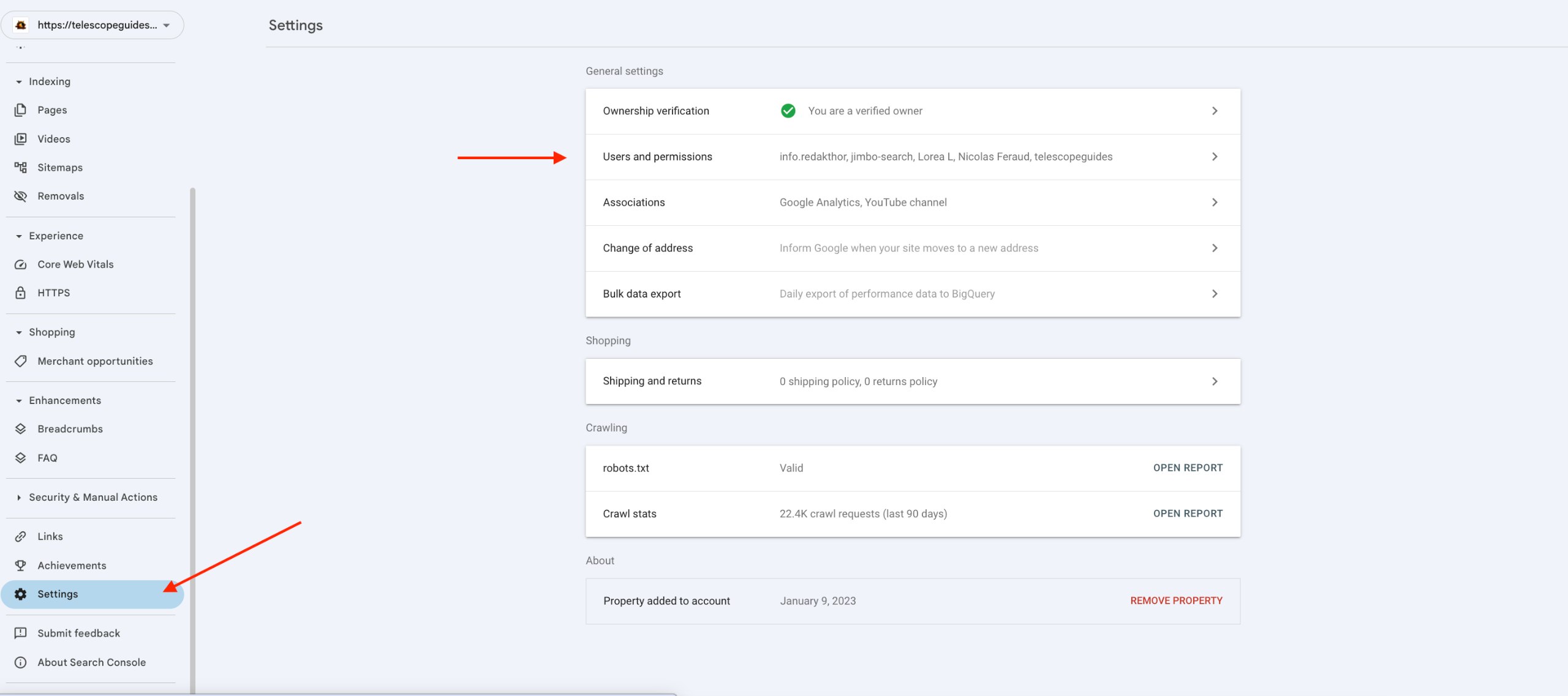
Go to Settings
In the left sidebar, scroll to the bottom and click Settings. You'll see a list of options including Users and permissions — click that row.
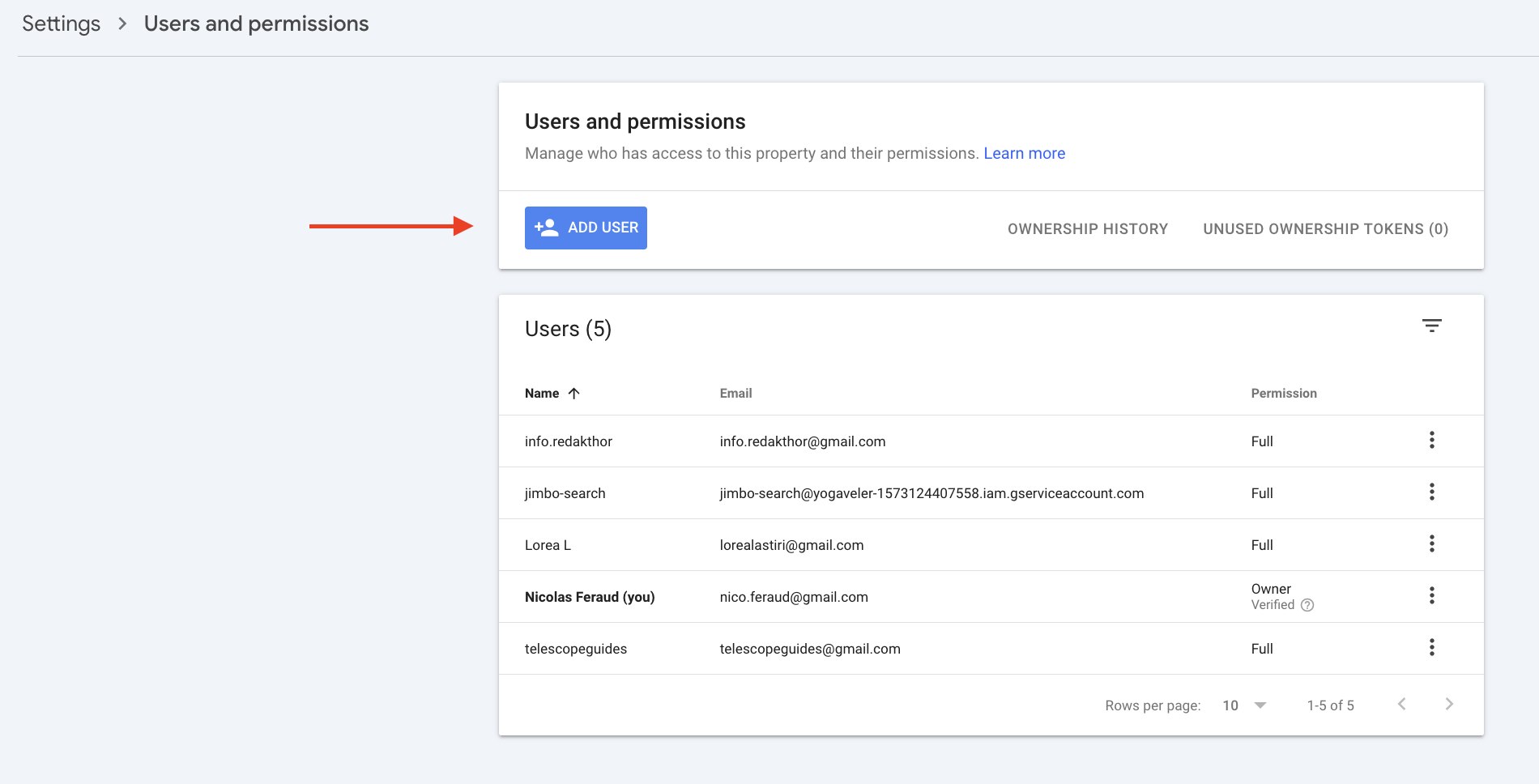
Click ADD USER
Inside Users and permissions, click the ADD USER button in the top left of the panel.
Enter our email and set permission to Full
Paste our email address, make sure permission is set to Full, then click Add.
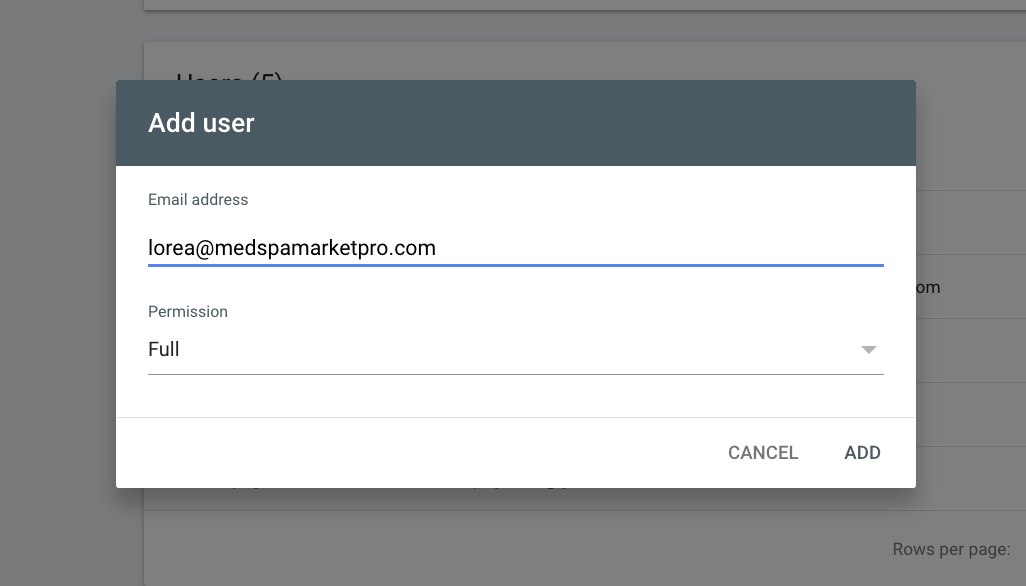
Full permission = read-only access to your search data. We cannot edit or delete anything on your site.
You're done
Google will confirm the user was added. We'll receive a notification automatically. No need to send us anything.
If you want to give us a heads up, just reply to the email we sent you.
We'll be in your inbox within 48 hours
Once we have access, we'll look inside your real search data and send you a second report showing exactly which keywords you're almost ranking for and what's blocking you.
Common questions
Can you make changes to my site?
No. Google Search Console access is read-only. We can see your search performance data but cannot touch your website.
How do I remove you later?
Same place you added us: Settings > Users and permissions. Click the three dots next to our email and select Remove.
What if my site isn't verified in Search Console yet?
Reply to our email and we'll help you get it set up. Verification is free and takes about 5 minutes.
Is there any cost?
No. The deeper report is completely free. We send it because it usually reveals enough to start a real conversation about working together. No pressure either way.